Software Tour

Rock Gym Pro has been designed with one goal - to make your life easier.  It was created by the owner of a climbing gym, so we feel your pain and understand your needs.  Not only will it make your life easier, it’ll save you money.


Video Demos

Additional video tutorials are available in the Support section.


Design Goals

  • The business drives the software, not vice-versa!
  • Easy, easy, easy to use!
  • No extra stuff that climbing gyms don’t need.
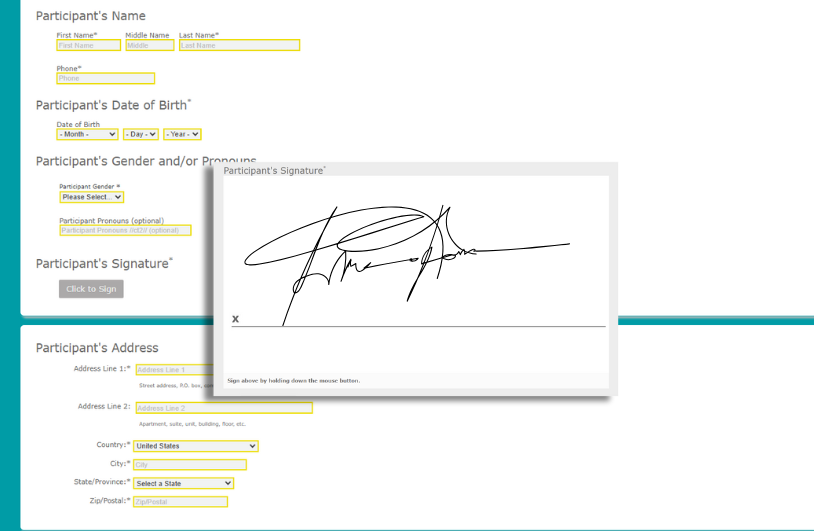
  • Prevent data entry mistakes, particularly with regard to the critical membership information
  • Seamless integration between the POS and Member Management
  • Flexible and easy membership freezes and thaws (our members LOVE how our freezes and thaws work, and the software enables us to offer this flexibility). Our ability to offer Freeze flexibility SELLS memberships.
  • One click monthly billing
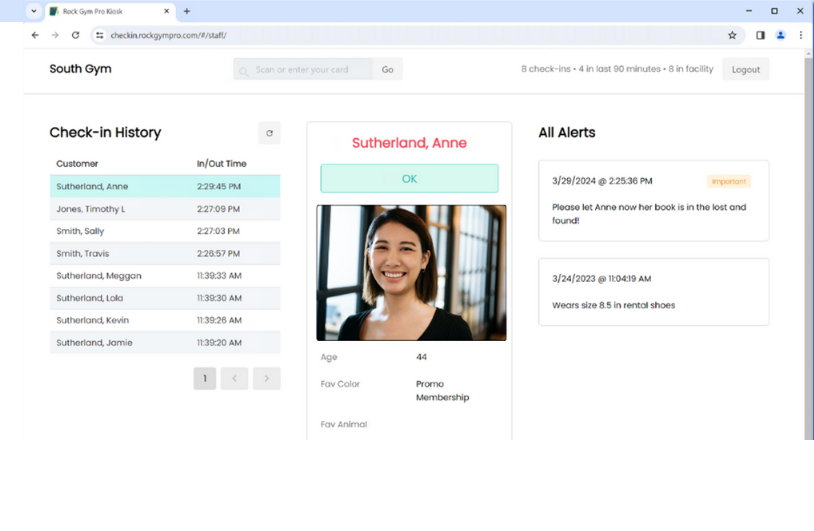
  • Automatic enforcement of membership details on Check In
  • Minimal training requirements for staff members to learn system
  • Reduce dependency on dedicated staff members (i.e. do away with Membership Coordinators, etc.). Any staff member should be able to complete a membership sale!
  • Fast and simple reporting so you can keep control of the business

Management

  • Member Management
  • Billed and Prepaid Memberships
  • Guest/Day-Use
  • Monthly Billing - Credit Card and Check Draft
  • Membership Freezes and Thaws
  • Member Account History
  • Reporting
  • Email List
  • Employee Management
  • Timeclock
  • Designed to Reduce Mistakes!
dataentry1.jpg

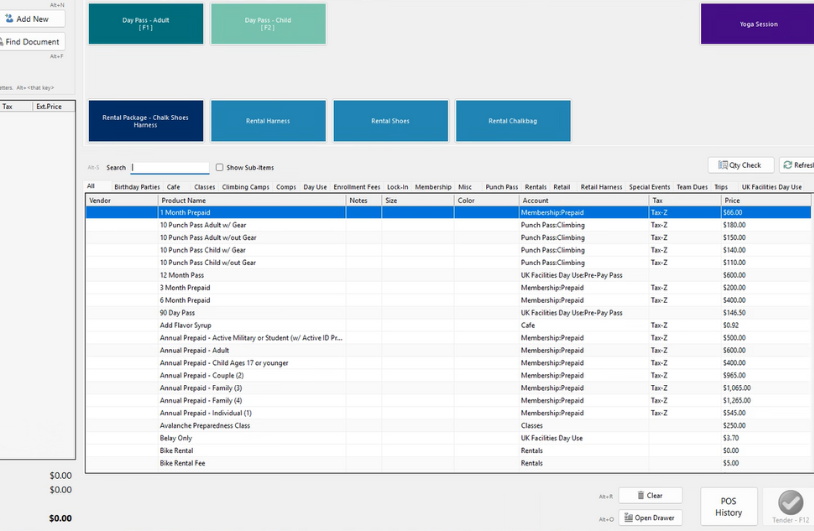
Point-Of-Sale

  • Integrated credit card processing and swiping via X-Charge
  • POS/Membership Integration
  • Inventory Management
  • Gift Certificate Sales
  • Speed Buttons
  • Fast Product Lookup
  • Transaction History
  • Designed For Speed!

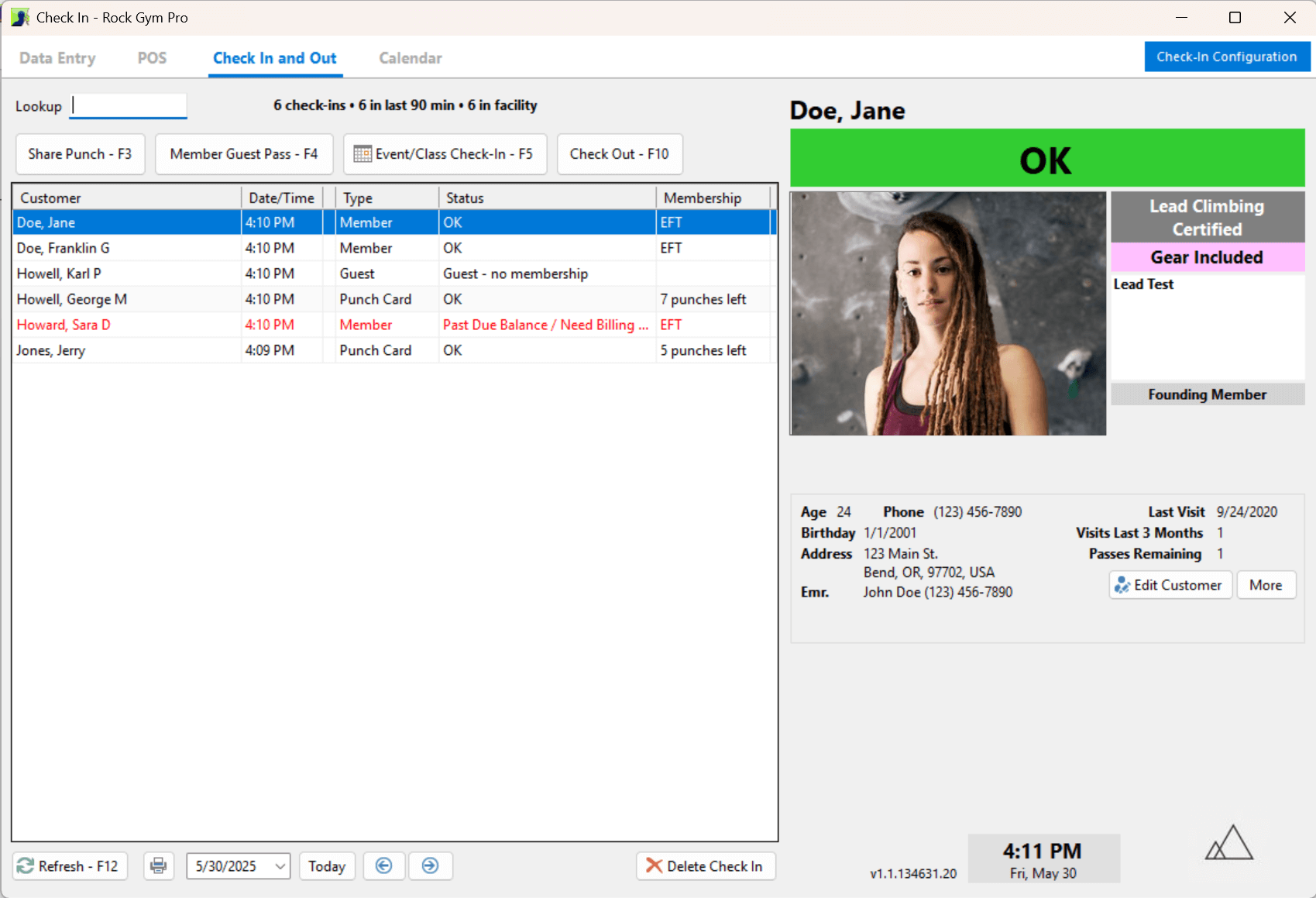
Check In

  • Unattended Check-In
  • Scanned Barcodes
  • Name Lookup
  • Popup Notes
  • Account Balance Warnings
  • Waiver and Belay Policies
  • Audible Enforcement
  • Designed for Enforcement!
checkin1.jpg

More Screen Shots

Note: If viewing these photos on a laptop or small screen, be sure to click the full size link below the photo when viewing them individually.

System Requirements